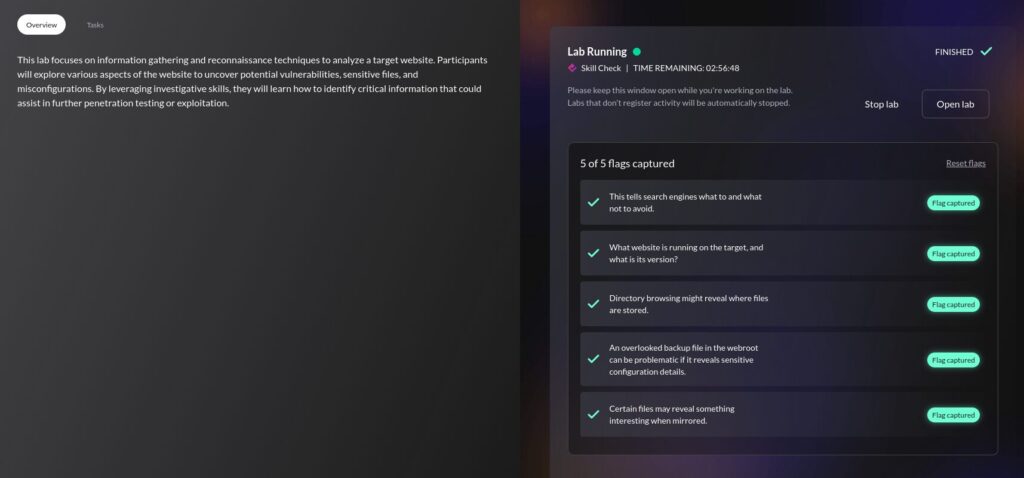
So here is the first lab. I completed it yesterday (21/02/2026) but wanted to repeat it and take notes on it this time.
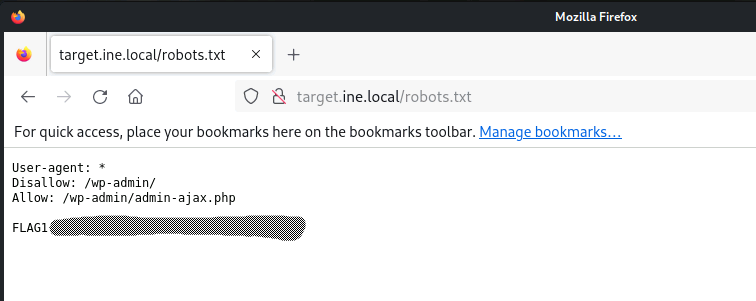
Flag 1: This tells search engines what to avoid and what not to crawl.
From the training video regarding website recon & footprinting, we should know to look at the contents of robots.txt . Visiting target.ine.local/robots.txt in the browser will give us our first flag.
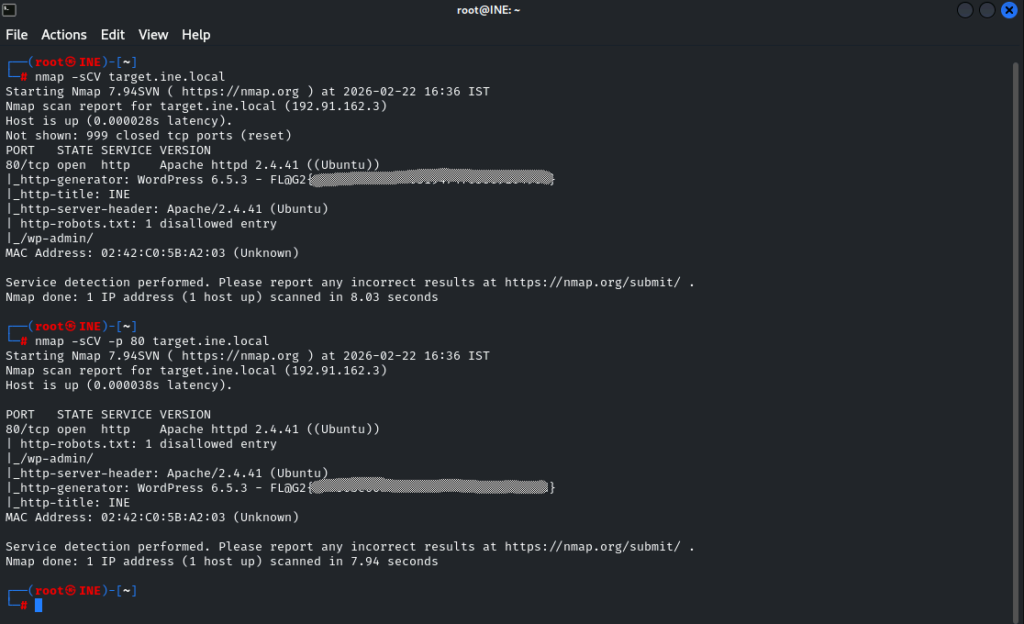
Flag 2: What website is running on the target and what is it’s version?
Again, using the training from this section as a basis, we have a couple of tools we could use to get the flag.
The whatweb tool was my initial thought, and did produce the results needed.

Nmap can also be used to achieve this, as detecting services and versions in use is a huge part of why it exists.
From the module on Port Scanning with Nmap, there were parameters specified for enumerating running applications and services on open ports. These are -sV and -sC, which can be combined into -sCV if you’re lazy.
| Feature | -sV (Version) | -sC (Script) |
|---|---|---|
| Purpose | Identify Application/Version | Service Enumeration/Basic Vuln Check |
| Mechanism | Service Probing | Nmap Scripting Engine (NSE) |
| Data Produced | Version strings, service names | Detailed data (e.g., SSL certs, HTTP headers) |
| Intrusiveness | Low/Moderate | Low/Moderate (default scripts only) |
We could go mad and use the aggressive scan of parameter of -A but it could be overkill and isn’t necessary. Additionally I believe -A will not prompt for sudo if it’s required, it will just error on those parts and carry on which could potentially be troublesome.
nmap -sCV target.ine.local becomes our command, which grabs our flag.
I even ran nmap -sCV -p 80 target.ine.local to see if that would be quicker, which it was, but only by about 0.09 of a second, so not really worth it.
Flag 3: Directory browsing might reveal where files are stored.
So this one confused me, I’ll be honest, and I ended up referring to write-ups (I chose a couple, to make sure I got additional perspective).
I’m glad I did because the use of dirb or gobuster has not been touched on as far as I’m aware, so it came out of left-field.
So dirb is another web content scanner and uses a wordlist to ‘bust’ or find hidden content. It has a built-in wordlist so the command to utilise it is pretty straight-forward. A very easy to type dirb http://target.ine.local
Now, from the results, we can see quite a lot of information, but if we think about it in relation to the question, there can only be one solid answer.
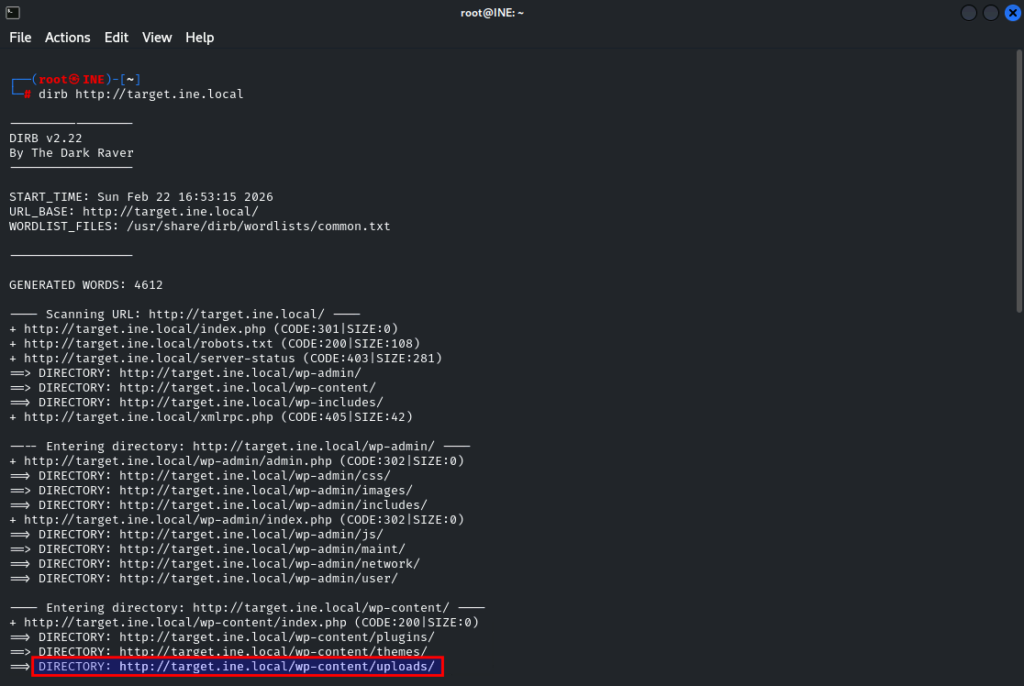
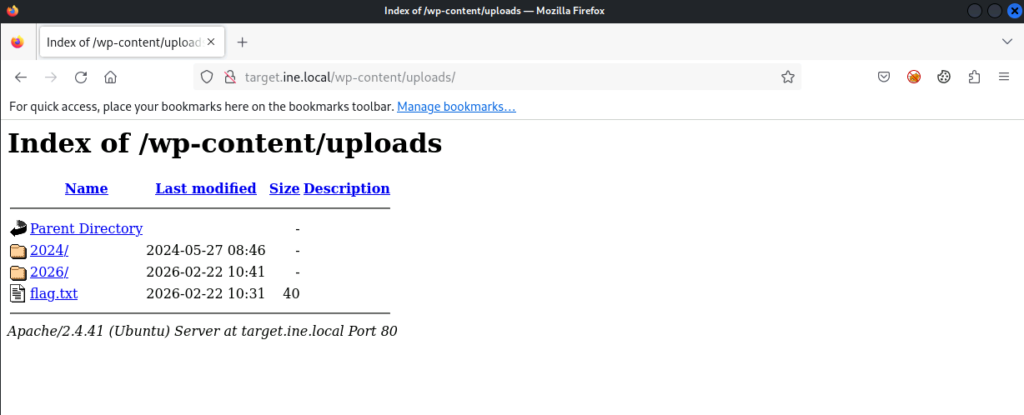
So let’s fire http://target.ine.local/wp-content/uploads into the browser and we-he-hellll… lookie what we have here… your third flag.
Flag 4: An overlooked backup file in the webroot can be problematic if it reveals sensitive configuration details.
So, webroot, that gives us our directory.
And backup file, we know from the Google Dorks module that wp-config.bak is a WordPress backup file, so lets try that.
File downloaded, so lets cat the content and grab our flag.
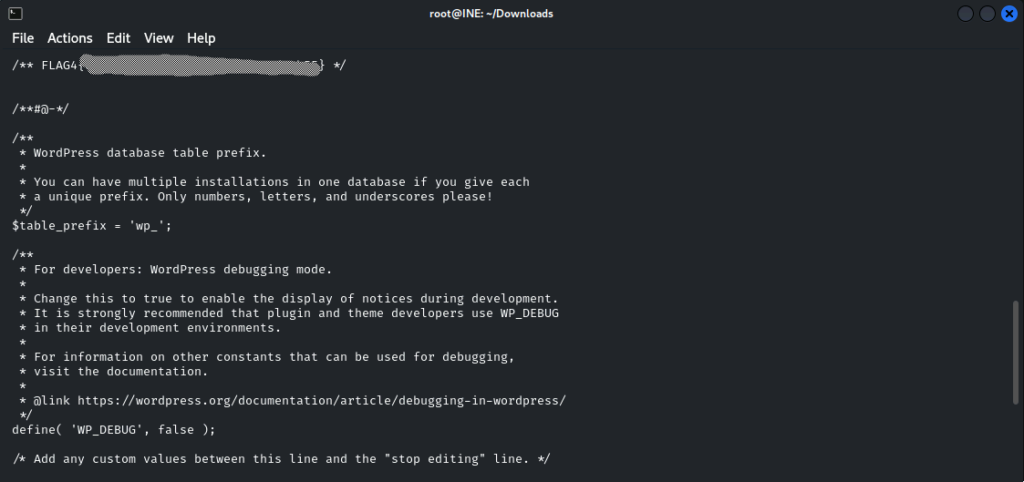
You can use curl http://target.ine.local/wp-config.bak but that hasn’t been taught as a function yet, so I just whacked the URL in Firefox lol.
“But what if the answer isn’t guessable?”
So gobuster exists, which can be used to get the previous flag as well, and has similarities with dirb. The idea being we set gobuster brute forcing to discover a backup file.
One write-up I found guessed it like I did, while another used the following command, which would potentially find other backups as well if they existed (3x file extensions specified) >
gobuster dir -u http://target.ine.local -w /usr/share/seclists/Discovery/Web-Content/raft-large-files.txt -x bak,zip,tar.gz
However, the raft-large-files.txt word list doesn’t actually contain wp-config.bak so this command doesn’t actually work.
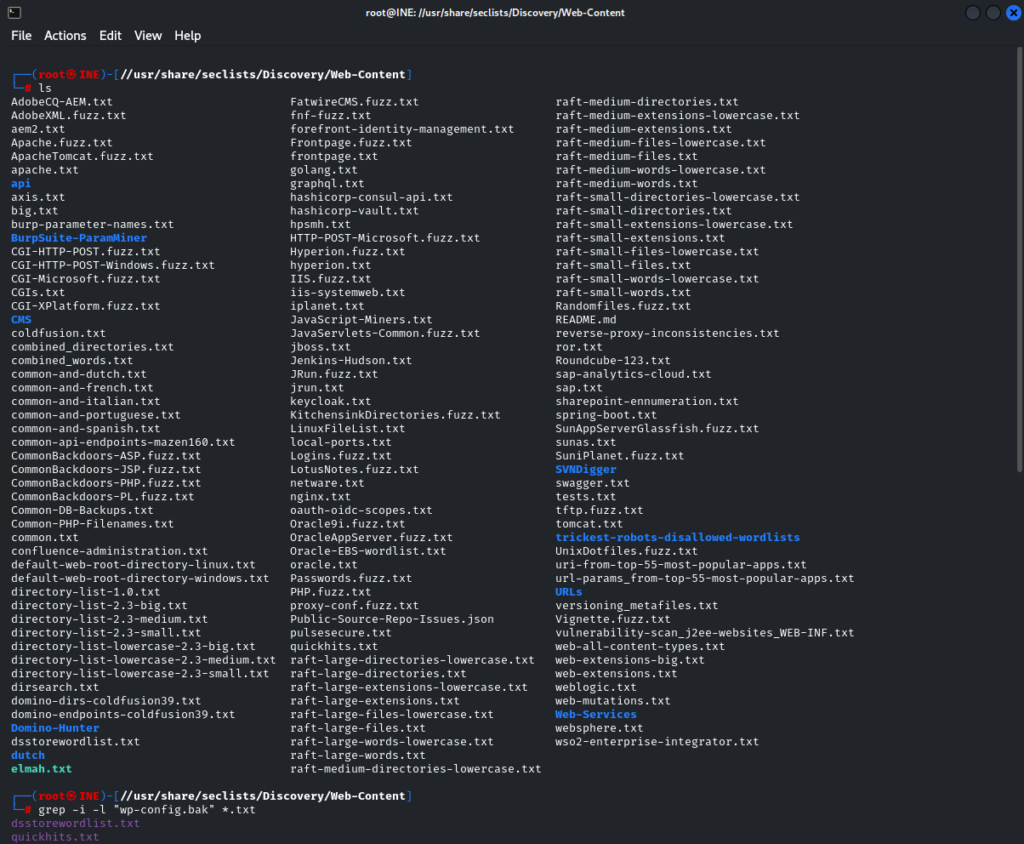
Navigating to /usr/share/seclists/Discovery/Web-Content/ and using grep -i -l "wp-config.bak" *.txt I was able to find that our filename exists in 2 word lists already, and quickhits.txt sounds like a better option in our basic use case.
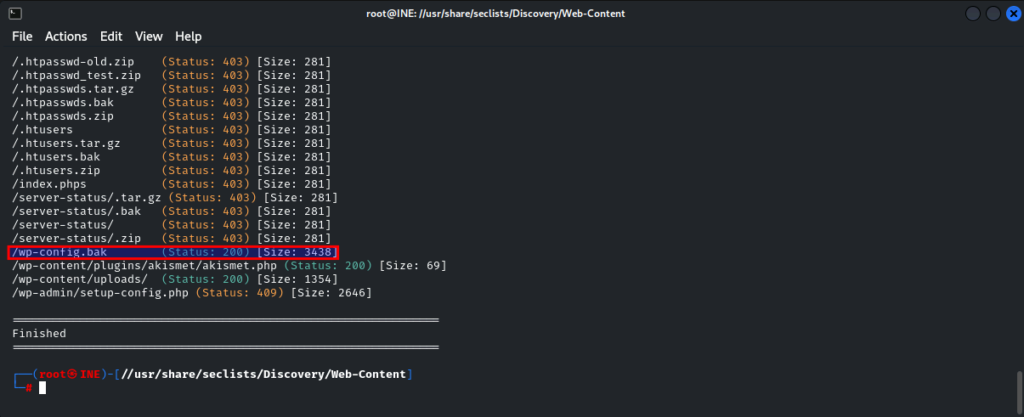
So changing our command to gobuster dir -u http://target.ine.local -w /usr/share/seclists/Discovery/Web-Content/quickhits.txt -x bak,zip,tar.gz runs quite a bit more quickly and does identify our wp-config.bak file in the webroot directory. The fact that this is a reverse-engineered solution isn’t lost on me, but until I’m more familiar with the content of the word lists it is all I have to go on right now…
Flag 5: Certain files may reveal something interesting when mirrored.
So I immediately referred to the notes on HTTrack to mirror the website locally. In my haste I accidentally performed this mirror via the CLI instead of the GUI, but it did no harm.
httrack target.ine.local
Then, flailing about a bit, I thought about what I was looking for, and went back to grep
grep -i "FLAG5" -R target.ine.local/
-R ensures all files are read under each directory, and follows all symbolic links, unlike -r
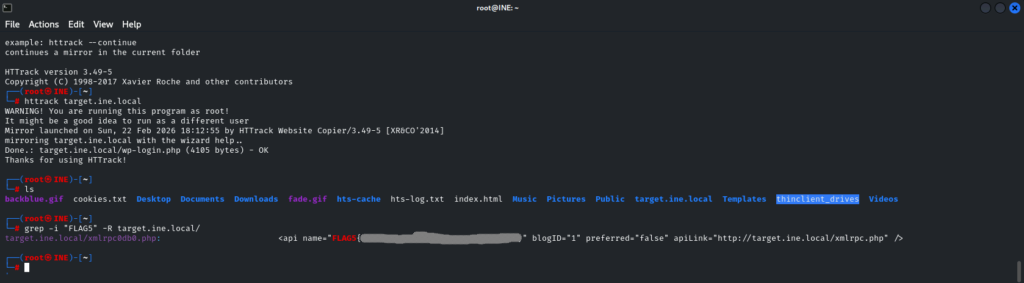
And “Wallah!” as the meme goes. Flag 5 is yours.
Write-ups referred to > EstL4na and Mohammed Ali Mistry
Leave a Reply