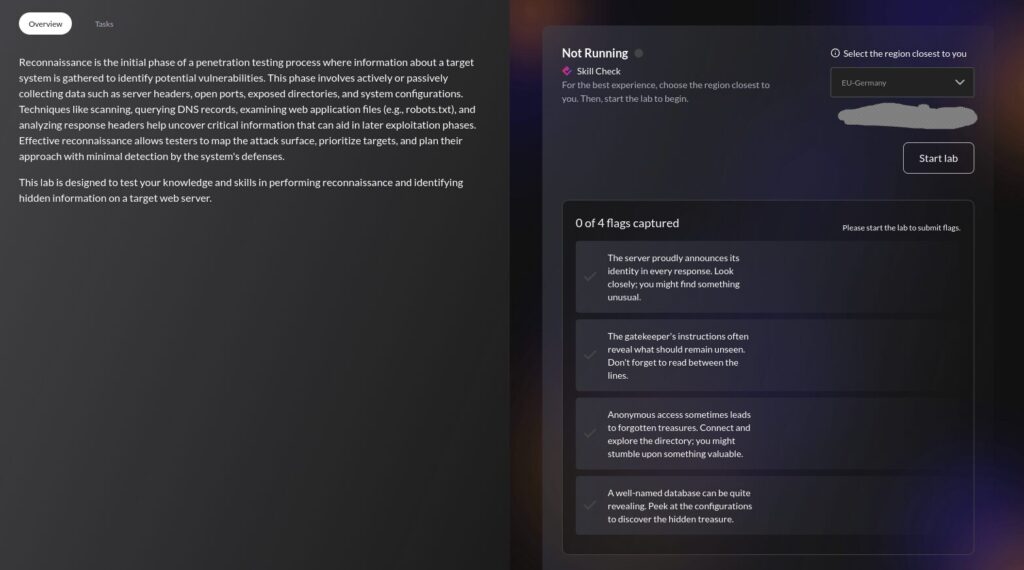
Second lab time, with the best tools listed for this lab being:
- Nmap (some familiarity with now)
- FTP (aside from connecting to a Server, I don’t know much else)
- MySQL (I know nuh-thing)
So I start with checking out where I am and what I’m scanning.ifconfig gives me my IP and subnet, a quick scan on that with nmap -sn <subnet> tells me I’m going to be looking at 192.244.169.3 (aka target.ine.local).
Flag 1: The server proudly announces its identity in every response. Look closely; you might find something unusual.
This suggests it’s an easy flag, so I’m just going to start with the default Nmap scan and assume our target is online.
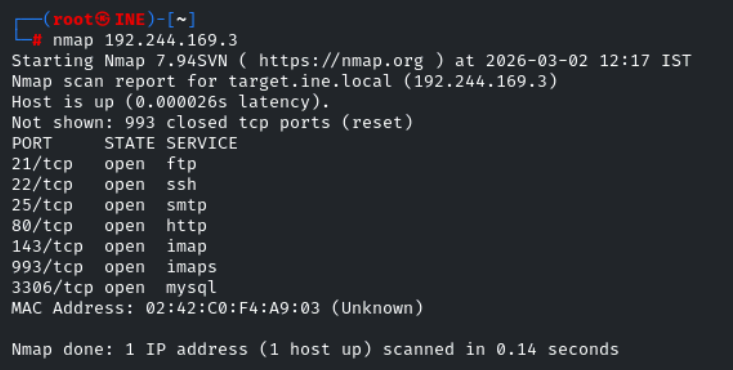
So we have some success straight away, plenty to look at later, but I’ll carry on with nmap in more depth. I know that website will have some gold.
Now I’m going to try and get some more information, and check all TCP ports in case anything has been missed out.

So we have detected a further open port, as well as some version information regarding the OS (Ubuntu, hosted by Linode) and services in use.
I’m going to see what else I can get here, so I’m going all in with the -A big dog.
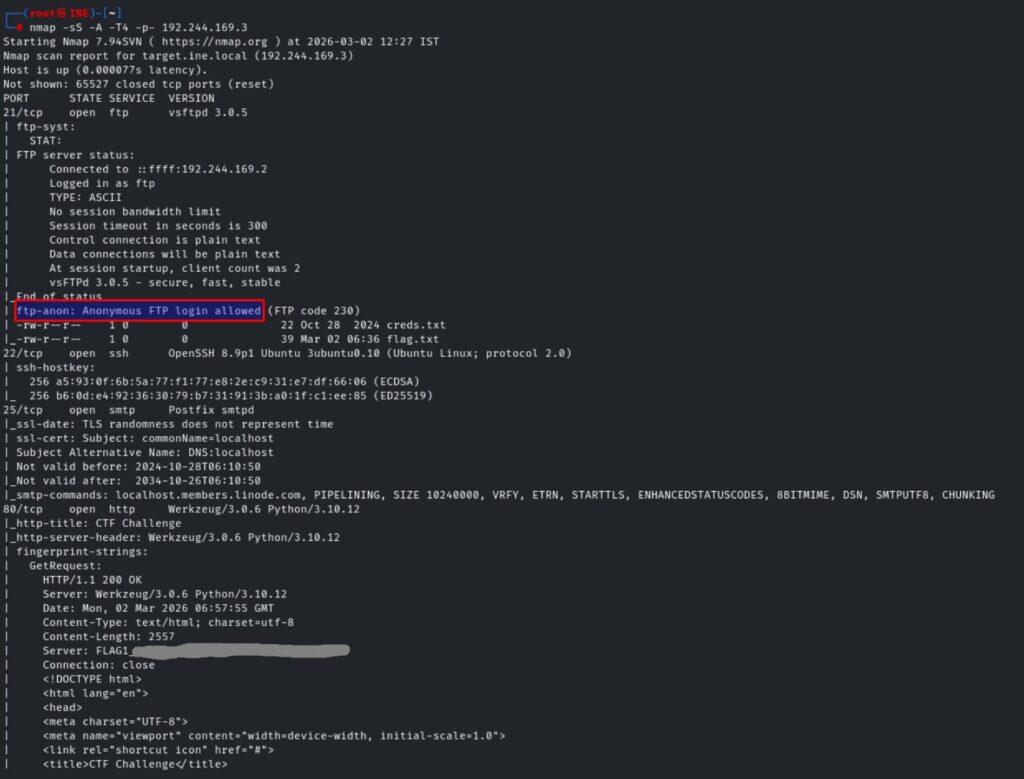
So not only have we got our first flag, which I have obscured, but we also have another nugget for further use – anonymous FTP login is allowed and we have ourselves a couple of juicy looking file names.
Additionally, we were given some lovely content from the robots.txt page on the website. In the real world I’d suspect ‘secret-info’ to be a honeypot or something, but I think it might be useful for our second flag >

Flag 2: The gatekeeper’s instructions often reveal what should remain unseen. Don’t forget to read between the lines.
So let us see what we can gather.
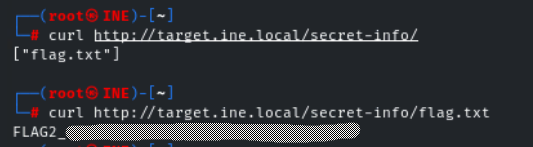
Welp, that was easy enough…
Flag 3: Anonymous access sometimes leads to forgotten treasures. Connect and explore the directory; you might stumble upon something valuable.
So I think this is going to take us back to our FTP nugget.
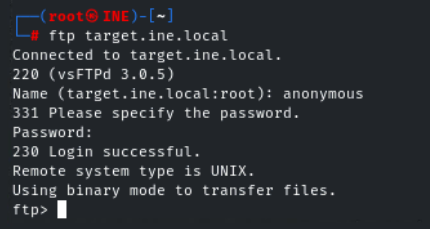
And we’re in…
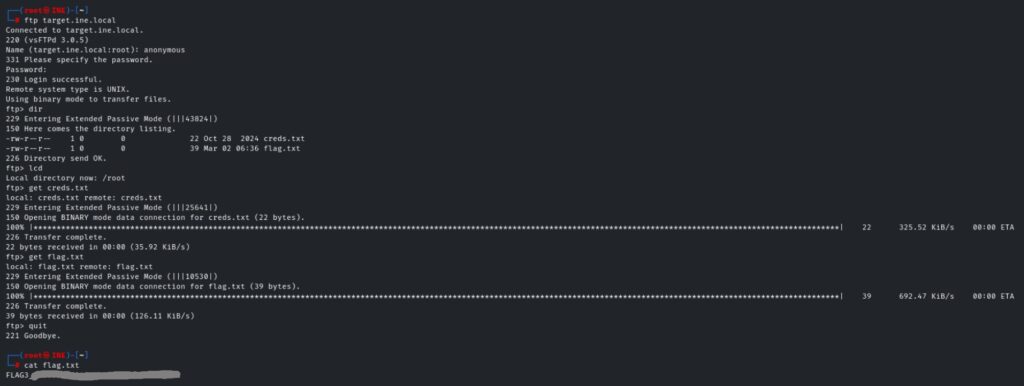
First I use dir to list the contents of the FTP server, confirming the presence of flag.txt and creds.txt. A well-named database can be quite revealing. Peek at the configurations to discover the hidden treasure.
lcd reminds me of my current working directory, so I know where to find the files once I pull them across.
get <filename> transfers the files to my vm.
After disconnecting from the FTP server, a simple cat reveals the third flag.
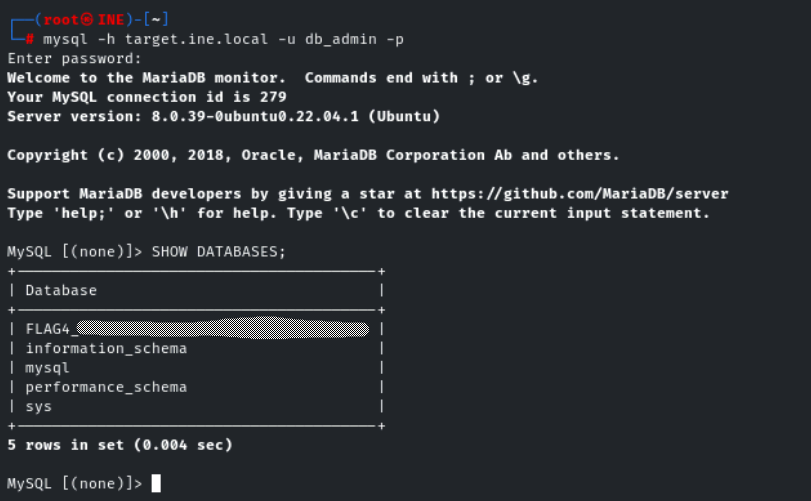
Flag 4: A well-named database can be quite revealing. Peek at the configurations to discover the hidden treasure.
Using cat on the creds.txt file provides the credentials required for this task. I then got stuck in a rabbit hole trying to use the Nmap NSE to get what I was after, but I couldn’t get the mysql-databases script to work correctly.
Eventually I gave up and googled how to connect to Mysql via Terminal lol, which I realise I should’ve done from the outset as I very quickly got the final flag!
This was a much better assessment in my opinion. I know the lack of Mysql knowledge hindered me on the final flag, but the material thus far really helped with flags 1-3. Based on the first assessment, knowing there’d be something I had no familiarity with didn’t feel like such a shock. I guess you’re always going to come across things you don’t expect / are unfamiliar with, so this is just setting me up for success in the future.
Leave a Reply